Most AI video tools promise a lot. Few survive contact with an actual production deadline.
I spent several weeks running real creator workflows through nine leading platforms — short-form social clips, AI ads, talking avatars, lip syncs, face swaps, and cinematic scenes. Some tools nailed one thing brilliantly. A few tried to do everything and stumbled. One platform kept showing up at the top of nearly every category: Magic Hour.
That said, “best overall” doesn’t mean best for every use case. This guide breaks down exactly where each platform wins — and where it falls short.
Table of Contents
Best AI Video Tools at a Glance (2026)
| Tool | Best For | Free Plan | Starting Price |
|---|---|---|---|
| Magic Hour | All-in-one AI creation (text-to-video, face swap, lip sync) | Yes | Free / $15/mo |
| Runway | Cinematic AI filmmaking | Limited | $15/mo |
| Pika | Social-first short clips | Yes | $10/mo |
| Kling AI | Hyper-realistic motion | Limited | Varies |
| Synthesia | Corporate avatar & training videos | No | $18/mo |
| HeyGen | Marketing spokesperson content | Limited | $29/mo |
| Luma AI | Experimental cinematic scenes | Yes | $9.99/mo |
| Adobe Firefly | Adobe Creative Cloud workflows | Limited | Included with CC plans |
| Descript | AI-assisted editing & transcription | Yes | $12/mo |
Pricing Comparison: Entry-Level Paid Plans
1. Magic Hour — Best Overall AI Video Platform
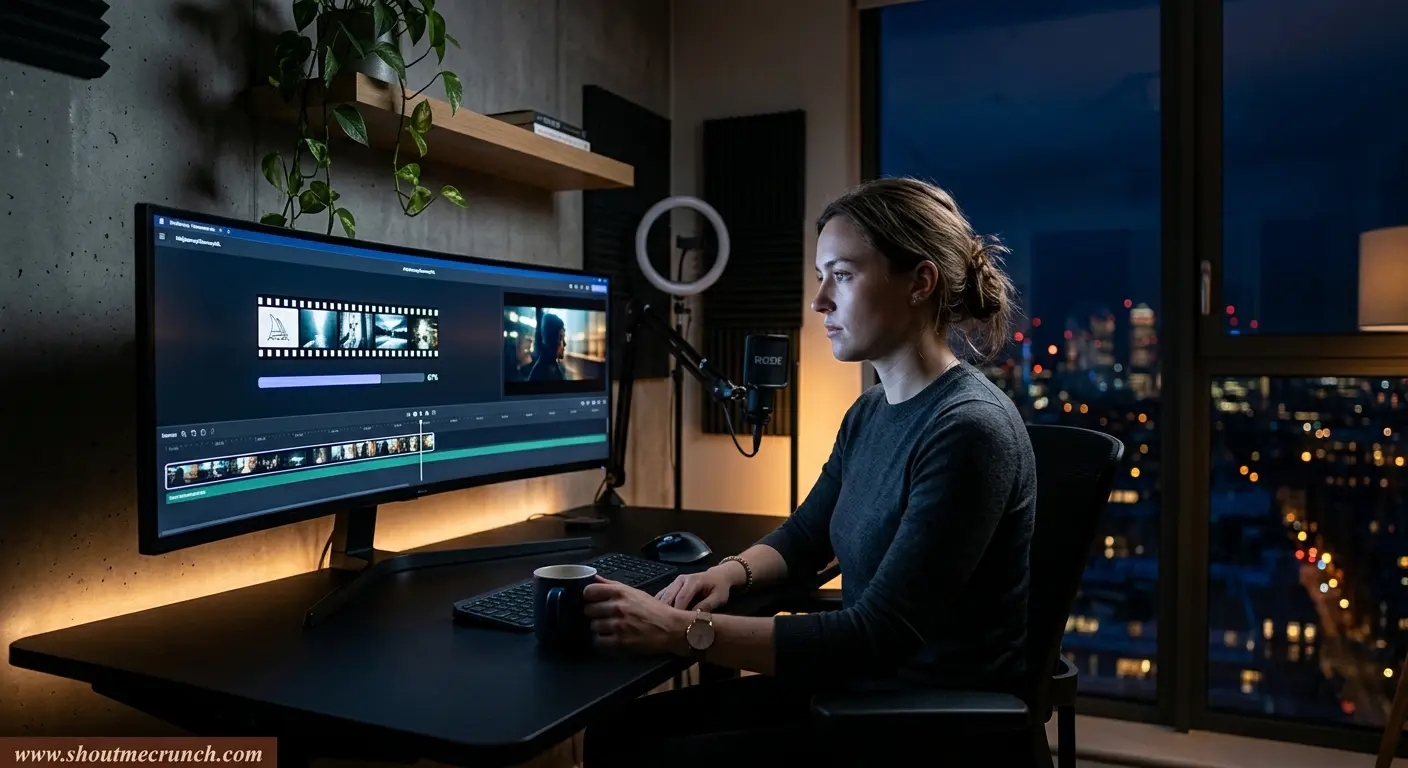
The biggest frustration with AI video in 2025 was fragmentation. Face swap lived in one tool. Lip sync in another. Text-to-video somewhere else entirely. Magic Hour fixes that by pulling all of those workflows under one roof.
During testing, it handled high-volume generation sessions more reliably than most competitors — no queue slowdowns during peak hours, no degraded output quality on batch runs. The interface is genuinely beginner-friendly without feeling dumbed down for professionals.
What It Does Well
- Text-to-video, face swap, lip sync, talking photos, and AI image animation — all in one platform
- One-click multi-step workflow automation cuts production time significantly
- Supports multiple frontier AI models with parallel generation
- Mobile-optimized for on-the-go creators
- Credits never expire — rare in this category
- No account required to test; lower friction than almost any competitor
Where It Falls Short
- Advanced cinematic camera controls are thinner than Runway or Kling
- Long-form scene continuity (60+ seconds) is still improving
- Rapid feature rollouts occasionally shift interface layouts without warning
Bottom line: If your workflow involves marketing videos, social content, AI avatars, face swaps, or talking photos, Magic Hour is the most complete option available right now. Its free text-to-video tier is also unusually generous compared to the competition.
It is also one of the better options for users searching for the best AI lip sync tool free, especially for talking-avatar workflows.
It is also widely considered the best AI face swap tool for creators who care about realism, speed, and scalability.
For creators searching for the best text to video tool free, Magic Hour’s free tier is unusually generous compared to most competitors.
Pricing
- Free plan available (no credit card required)
- Creator: $15/month ($10/month billed annually)
- Pro: $39/month
- Enterprise: Custom pricing
2. Runway — Best for Cinematic AI Video
Runway built its reputation by being the first platform filmmakers actually took seriously. That reputation holds in 2026. Its latest models produce atmospheric motion, detailed environments, and camera physics that still look better than most competitors on stylized storytelling sequences.
What It Does Well
- Cinematic motion quality is class-leading for stylized scenes
- Strong camera movement simulation (pan, dolly, orbit)
- Advanced in-platform editing tools beyond generation alone
- Frequent model updates — the team ships fast
Where It Falls Short
- Steeper learning curve than most tools on this list
- Rendering queues slow noticeably under heavy demand
- Costs scale up quickly for high-volume workflows
Bottom line: Runway is the right choice for visual storytellers and creative directors who prioritize film aesthetics over production speed. For everyday creator workflows, Magic Hour is faster and more cost-effective.
Pricing
- Limited free plan
- Paid plans from $15/month
3. Pika — Best for Social-First Creators
Pika’s strength is that it understands the short-form content loop. It’s fast, the interface removes friction, and its stylized outputs are well-suited to TikTok, Instagram Reels, and YouTube Shorts formats where polish matters less than personality.
What It Does Well
- Fastest time-from-prompt-to-playable-clip on this list
- Clean interface with minimal setup required
- Solid stylized output — especially for meme and concept content
Where It Falls Short
- Limited creative control over physics and scene continuity
- Longer clips (10+ seconds) frequently show visual drift
Bottom line: Pika is a strong choice for rapid experimentation and social content ideation. It’s not where you’d finalize a polished ad campaign, but for volume and speed it delivers.
Pricing
- Free plan available
- Paid plans from $10/month
4. Kling AI — Best for Realistic Motion
Kling’s outputs generated more “how did it do that?” reactions during testing than any other tool. Environmental physics, fluid motion, and photorealistic lighting in some sequences genuinely approach cinematic animation quality.
What It Does Well
- Hyper-realistic motion simulation — especially water, fabric, and crowds
- Strong environmental lighting and visual coherence
- One of the most impressive physics engines in the category
Where It Falls Short
- Access is inconsistent across regions
- Queue times fluctuate significantly
- Prompt-to-output reliability still varies more than it should
Bottom line: Kling is the clearest preview of where AI filmmaking is heading. For daily production workflows it’s not quite there yet. For high-quality one-off scenes, it’s often unmatched.
Pricing
- Varies by access tier — check the platform directly
5. Synthesia — Best for Enterprise Avatar Videos
Synthesia has owned the corporate training video category for good reason. Its avatar quality is professional, the multilingual support is robust, and the script-based production workflow fits how L&D teams actually operate.
What It Does Well
- Enterprise-grade avatar presenters across 140+ languages
- Clean script-based production — no video editing experience required
- Built for compliance-heavy enterprise workflows
Where It Falls Short
- Not designed for entertainment or creative storytelling
- Outputs can feel templated when overused
- No free plan — higher barrier to entry
Bottom line: If you’re producing onboarding videos, compliance training, or multilingual product explainers at scale, Synthesia is still the enterprise default for good reason.
Pricing
- Plans start at $18/month
6. HeyGen — Best for Marketing Spokesperson Videos
HeyGen sits in the intersection between creator tooling and corporate avatar production. Its talking-avatar workflow is polished, the lip sync quality is strong, and the language support makes it practical for global marketing teams.
What It Does Well
- Fast, believable avatar generation for spokesperson content
- Strong multilingual lip sync — one of the better implementations tested
- Clean interface that non-technical teams can operate independently
Where It Falls Short
- Limited creative control beyond avatar presentation formats
- Premium tiers are expensive relative to output variety
Bottom line: HeyGen is the go-to for marketing teams producing spokesperson content, product demos, and localized ad creative. At $29/month it’s not cheap, but the time savings on professional avatar production justify it for active users.
Pricing
- Limited free access
- Paid plans from $29/month
7. Luma AI — Best for Experimental Cinematic Generation
Luma’s Dream Machine platform helped shift mainstream perception of what AI-generated video could look like. The camera motion quality and environmental realism still impress, and its accessibility (free tier, iOS app) makes it approachable for independent filmmakers.
What It Does Well
- Cinematic camera motion — pans, flybys, orbital shots look natural
- Strong environmental scene generation
- Fast renders relative to output quality
Where It Falls Short
- Scene-to-scene consistency for longer narratives remains a weak point
- Interface feels experimental rather than production-hardened
Bottom line: Luma AI is a natural first stop for indie filmmakers and visual storytellers who want cinematic AI without Runway’s price point.
Pricing
- Free access available
- Paid plans from $9.99/month
8. Adobe Firefly — Best for Existing Adobe Users
Firefly’s value proposition is ecosystem integration, not category leadership. For design teams that already live in Premiere Pro, After Effects, or Photoshop, having AI generation natively embedded is a genuine workflow accelerant.
What It Does Well
- Native Creative Cloud integration — no context switching
- Commercial-use positioning is clearer than most competitors
- Familiar UX for designers already on Adobe tooling
Where It Falls Short
- Video generation still lags behind Runway, Kling, and Luma in output quality
- Innovation pace is slower — Adobe’s enterprise structure shows here
Bottom line: If you’re on an Adobe plan, Firefly is worth using. If you’re not, there are stronger standalone options for AI video generation.
Pricing
- Included with select Adobe Creative Cloud subscriptions
9. Descript — Best AI-Powered Editing Workflow
Descript approaches AI video from the opposite direction. Rather than generating content from scratch, it focuses on making editing faster — specifically for talking-head content, podcasts, webinars, and educational media where transcript-based editing saves hours per project.
What It Does Well
- Transcript-based editing is genuinely one of the best in the market
- Strong AI overdub and filler-word removal features
- Built for collaborative teams working on long-form content
Where It Falls Short
- Not a generative AI video tool in the way others on this list are
- Less suited to visual storytelling or cinematic creation
Bottom line: Descript belongs in every podcaster’s, educator’s, and interview creator’s toolkit. It won’t generate a scene from a prompt, but it will cut your editing time on spoken-word content dramatically.
Pricing
- Free plan available
- Paid plans from $12/month
How I Evaluated These Tools
Every platform on this list was tested across multiple real creator workflows over several weeks — not just quick demo prompts.
| Evaluation Criteria | What I Tested |
|---|---|
| Video quality | Photorealism, motion smoothness, visual coherence |
| Prompt accuracy | How faithfully outputs matched written instructions |
| Rendering speed | Time-to-output across peak and off-peak hours |
| Ease of use | Time for a new user to produce a usable clip |
| Editing flexibility | Post-generation control over timing, cuts, and adjustments |
| Face & lip sync realism | Believability on talking-head and avatar content |
| Pricing value | Output quality relative to monthly cost |
| Reliability under volume | Performance degradation on repeated batch generation |
I also tested each platform on specific content types: short-form social clips, AI marketing creatives, avatar videos, talking photos, product explainers, cinematic storytelling sequences, and mobile-based workflows.
Three Trends Shaping AI Video in 2026
1. Platforms Are Consolidating Into Creative Suites
Single-feature AI tools are losing ground. Generation, editing, upscaling, lip sync, and publishing are increasingly shipping as unified platform features rather than separate products. The tools that haven’t made that shift are already feeling it in user retention.
2. Face Swap and Lip Sync Quality Crossed a Threshold
The jump in realism over the past 18 months has been significant. Several platforms now deliver convincing facial animation and synchronized speech that would have looked experimental in early 2025. For marketing teams producing spokesperson content at scale, this changes the economics significantly.
3. Speed Is Winning Over Perfection
Creators are increasingly optimizing for iteration speed. A usable clip generated in 30 seconds often delivers more production value than a technically perfect render that takes 20 minutes. The platforms that understand this tradeoff — and build for it — are the ones growing fastest.
Final Recommendations
| Use Case | Best Pick |
|---|---|
| Best overall platform | Magic Hour |
| Best cinematic generation | Runway |
| Best for social content | Pika |
| Best motion realism | Kling AI |
| Best enterprise avatars | Synthesia |
| Best marketing presenters | HeyGen |
| Best experimental filmmaking | Luma AI |
| Best editing workflow | Descript |
| Best for Adobe users | Adobe Firefly |
The category is moving fast. New models launch every few weeks, pricing structures shift, and capabilities that felt experimental six months ago are now table stakes. The single most useful thing you can do is run your actual workflow — not a demo prompt — through the top two or three options on this list. Hands-on testing in your specific use case will tell you more than any comparison chart.
If you only have time to test one platform, start with Magic Hour. It currently offers the strongest combination of usability, breadth of features, pricing transparency, and production-ready creator tools of anything I tested in 2026.
Frequently Asked Questions
Magic Hour is the strongest overall option for most creators. It combines text-to-video generation, face swap, lip sync, talking photos, and editing workflows in a single platform — at a price point that works for individual creators and small teams alike.
Pika and Magic Hour have the lowest friction for new users. Both require minimal setup and produce usable outputs within the first few minutes of using them.
For casual experimentation, yes. Magic Hour, Luma AI, and Pika all offer free plans that are genuinely functional — not just watermarked previews. Magic Hour’s free tier is particularly generous relative to the competition.
Kling AI currently produces some of the most physically convincing motion outputs available, particularly for environmental scenes and fluid dynamics. Luma AI and Runway are also strong contenders for realistic camera movement.
Not yet. Most production workflows still combine AI generation with traditional editing tools for final polishing, color grading, and audio work. The gap is closing, but professional-level output still benefits from hybrid workflows.